
Nullprint
All tools / Froxy
Froxy logo

How to use Froxy proxies in Nullprint

Residential, mobile and datacenter proxies in 200+ countries; add them to Nullprint's proxy pool and each profile's time zone and language follow the exit IP.

About Froxy

Froxy is a proxy provider with residential, mobile and datacenter proxies in 200+ countries, supporting rotating IPs and IP whitelisting. It also offers ready-made scrapers for SERP monitoring and e-commerce data, priced per 1,000 requests. Teams use Froxy for web scraping, price monitoring, SERP tracking and work in antidetect browsers.

Set it up in Nullprint

We tested this with a Froxy residential plan in Nullprint 0.2.26.

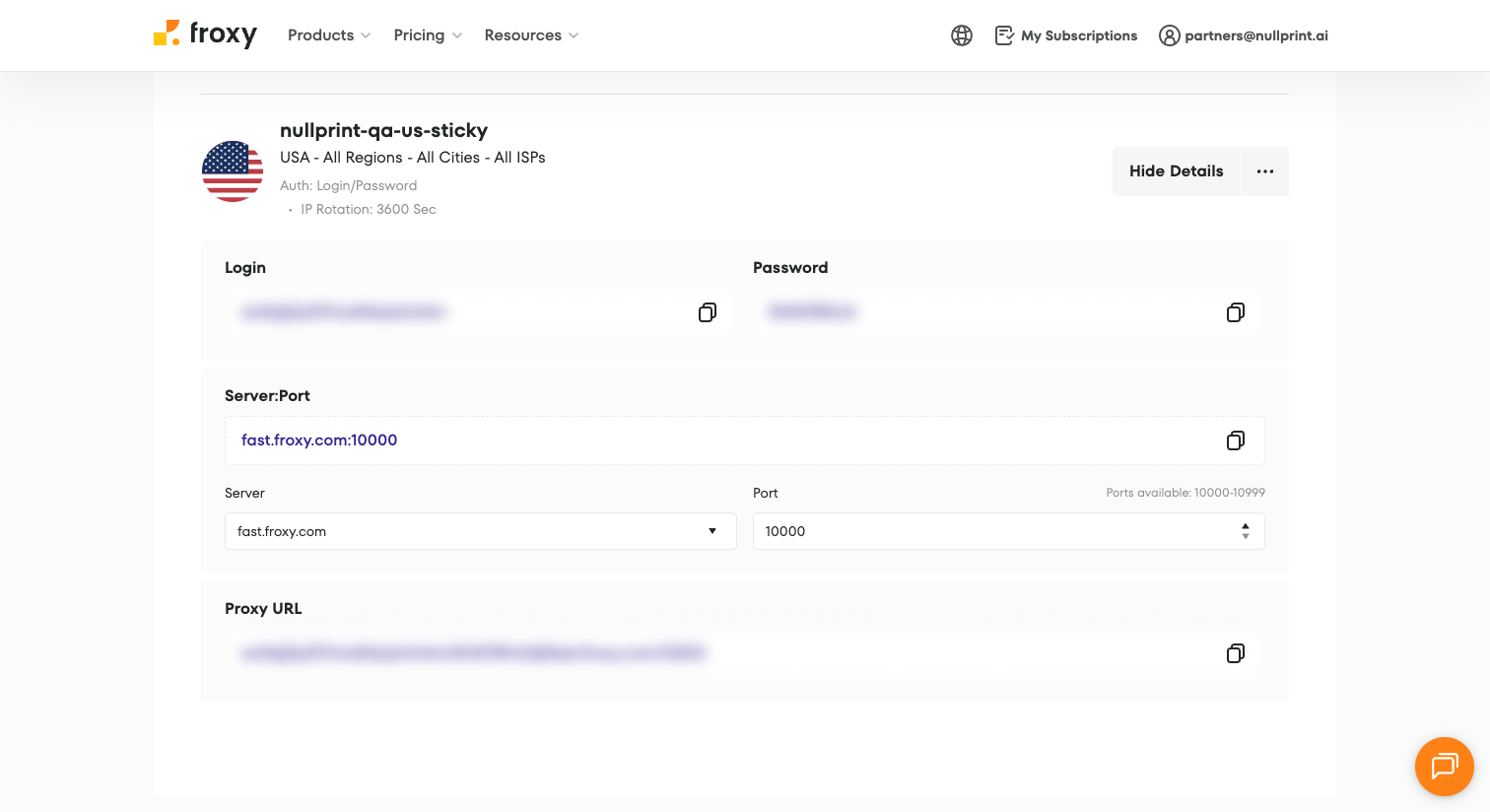
  1. Create a filter in Froxy. In the Froxy dashboard, open your plan and create a filter: pick a country (we used USA), choose Login/Password authorization, and set IP Rotation. For accounts you stay logged into, use the longest rotation time or No Rotation, so each profile keeps its IP. Open the filter's details and copy the Proxy URL, or the login, password and Server:Port (for example fast.froxy.com:10000).
    Froxy dashboard filter details: USA, all regions, Login/Password authorization, IP Rotation 3600 seconds, Server:Port fast.froxy.com:10000; login, password and Proxy URL blurred

    Tip: a new filter takes 1–2 minutes to activate, so wait a moment before you test it.

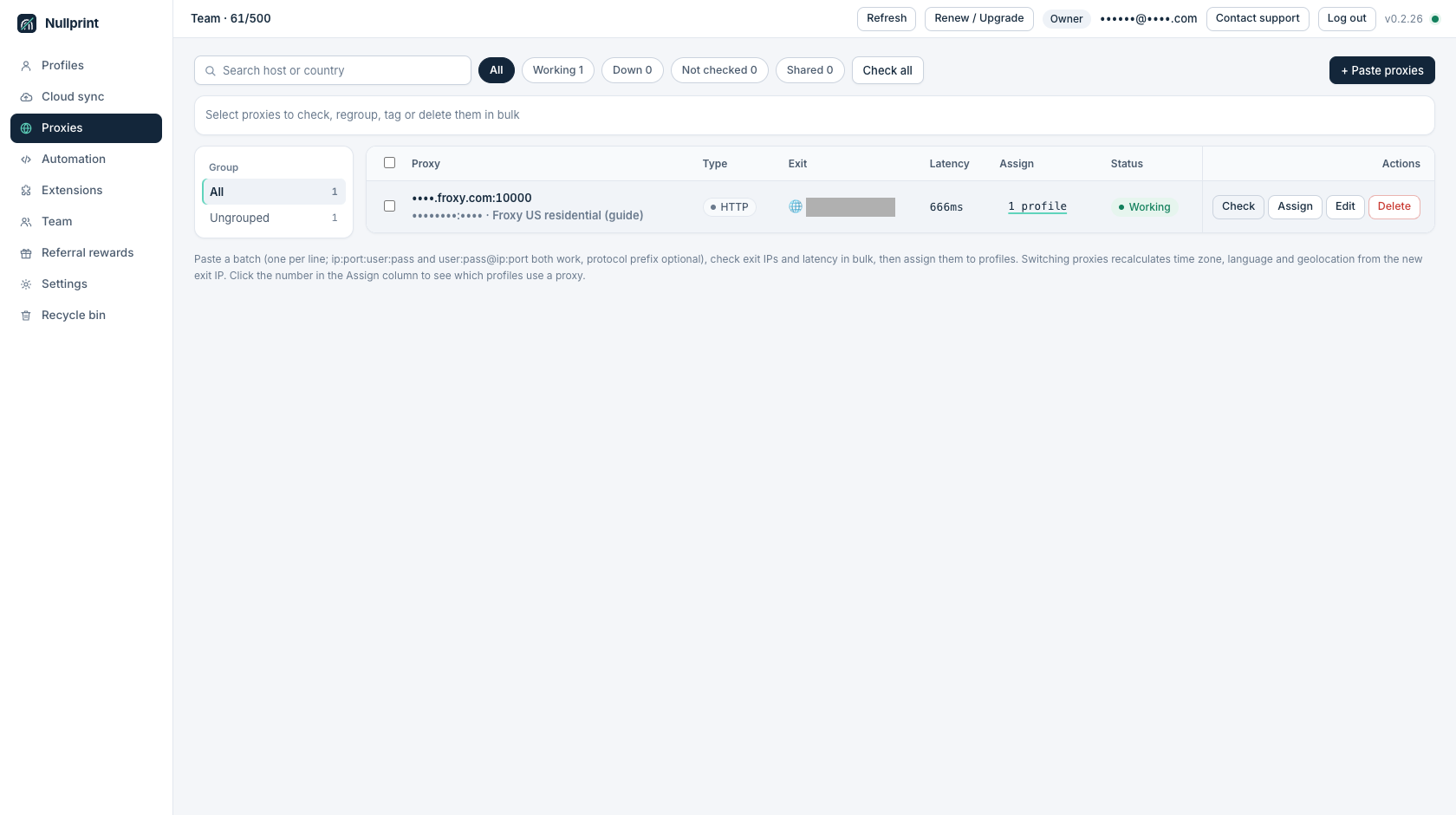
  2. Add it to the proxy pool. In Nullprint, open Proxies, click + Paste proxies, paste the proxy (login:[email protected]:10000 works) and click Check. Nullprint shows the exit IP, latency and Working status.
    Nullprint Proxies page with the Froxy proxy fast.froxy.com:10000: type HTTP, 666 ms latency, assigned to 1 profile, status Working; exit IP masked
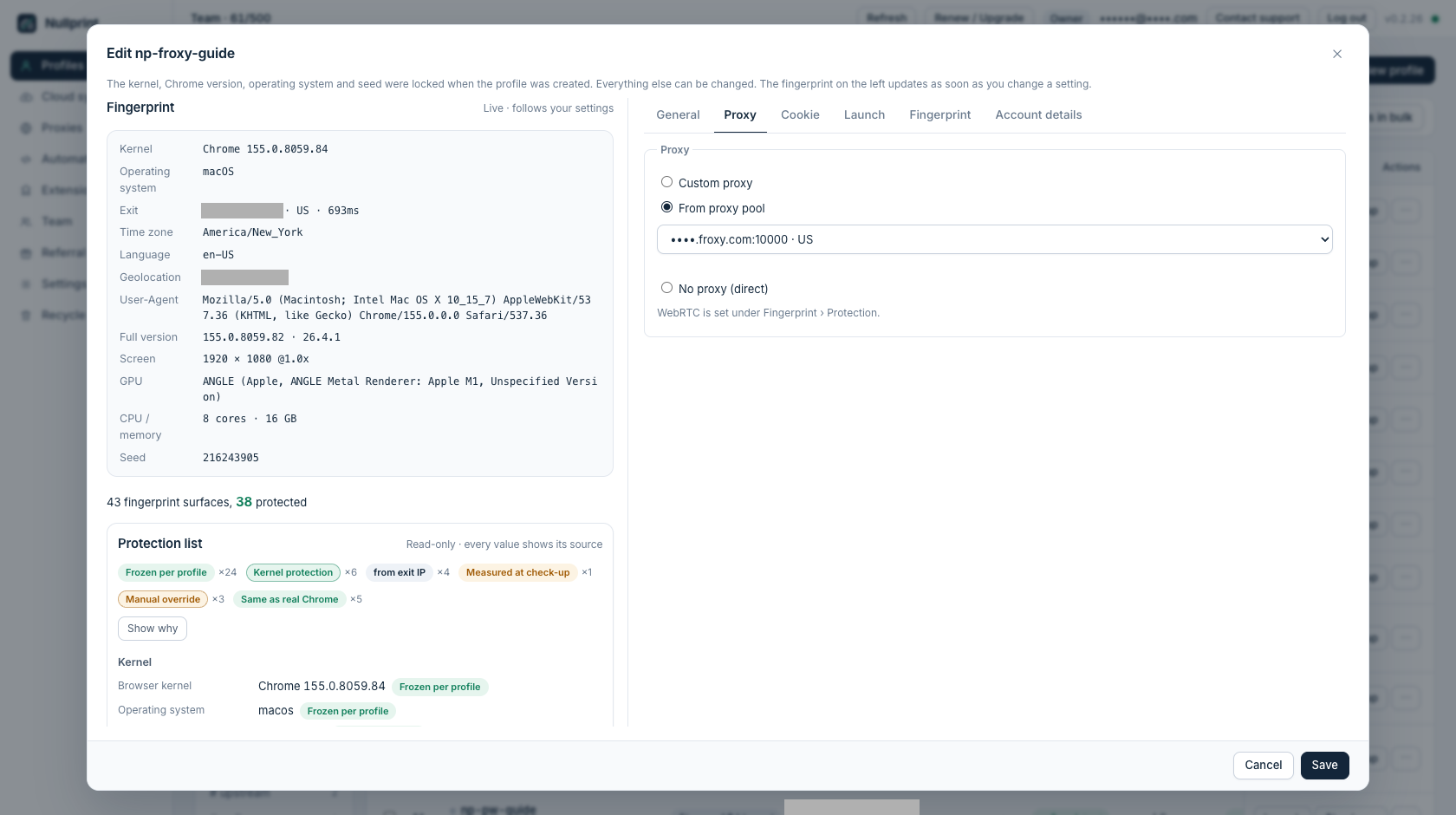
  3. Assign it to a profile. Create a profile, or open an existing one and go to Edit → Proxy → From proxy pool, then pick the Froxy proxy. Nullprint reads the exit IP and sets the profile's time zone, language and geolocation to match; you can see them in the fingerprint panel on the left. Use one proxy per profile.
    Nullprint Edit profile window, Proxy tab with From proxy pool selected and the Froxy proxy picked; the fingerprint panel on the left shows a US exit, time zone, language en-US and geolocation; exit IP and geolocation masked
  4. Run the check-up. Click Check-up before you launch. It compares exit IP, time zone, language and fingerprint and should come back consistent.
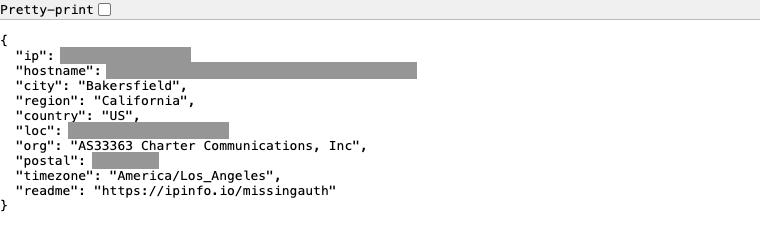
  5. Launch and confirm. Start the profile and open a page such as ipinfo.io. The exit should be the Froxy residential IP in the country you picked.
    ipinfo.io opened inside a Nullprint profile: a US residential exit in Bakersfield, California on Charter Communications, time zone America/Los_Angeles; IP, hostname, location and postal code masked

Why they work well together

FAQ

Which Froxy format should I paste?

The Proxy URL from the filter details (login:password@server:port) works. Nullprint also accepts other common formats such as server:port:login:password.

Rotating or sticky IP?

For logged-in accounts, use the longest rotation time or No Rotation and give each profile its own proxy. Short rotation suits scraping and one-off browsing.

My first test failed with 407.

A new filter needs 1–2 minutes to activate. Wait and click Check again.

What if the exit IP changes?

Nullprint recalculates time zone, language and geolocation for the new exit. Run the check-up again before you log in.

Does Nullprint sell proxies?

No. Nullprint works with any HTTP or SOCKS5 provider; Froxy is one we have tested.

Offer for Nullprint users

Use code NULLPRINT for 15% off the first payment on any monthly Froxy proxy plan.

Visit Froxy ↗Try Nullprint free

Also works with

ProxyWing

Residential, ISP, datacenter and mobile proxies in 200+ countries. Each profile's time zone and language follow the exit IP.

Geonode

Residential, ISP and datacenter proxies in 150+ countries, with sticky sessions for logged-in accounts.