Nullprint
All tools / ProxyWing
ProxyWing logo

How to use ProxyWing proxies in Nullprint

Residential, ISP, datacenter and mobile proxies in 200+ countries; paste them into Nullprint and each profile's time zone and language follow the exit IP.

About ProxyWing

ProxyWing provides datacenter, ISP, residential and mobile proxies in 200+ countries, with HTTP and SOCKS5 support. Residential proxies offer country, city and ASN targeting with rotating and sticky sessions. ProxyWing says its static ISP and datacenter proxies come with unlimited traffic and support UDP and p0f TCP/IP fingerprint spoofing, so the connection's OS fingerprint can match your browser profile.

Set it up in Nullprint

We tested this with a ProxyWing residential plan in Nullprint.

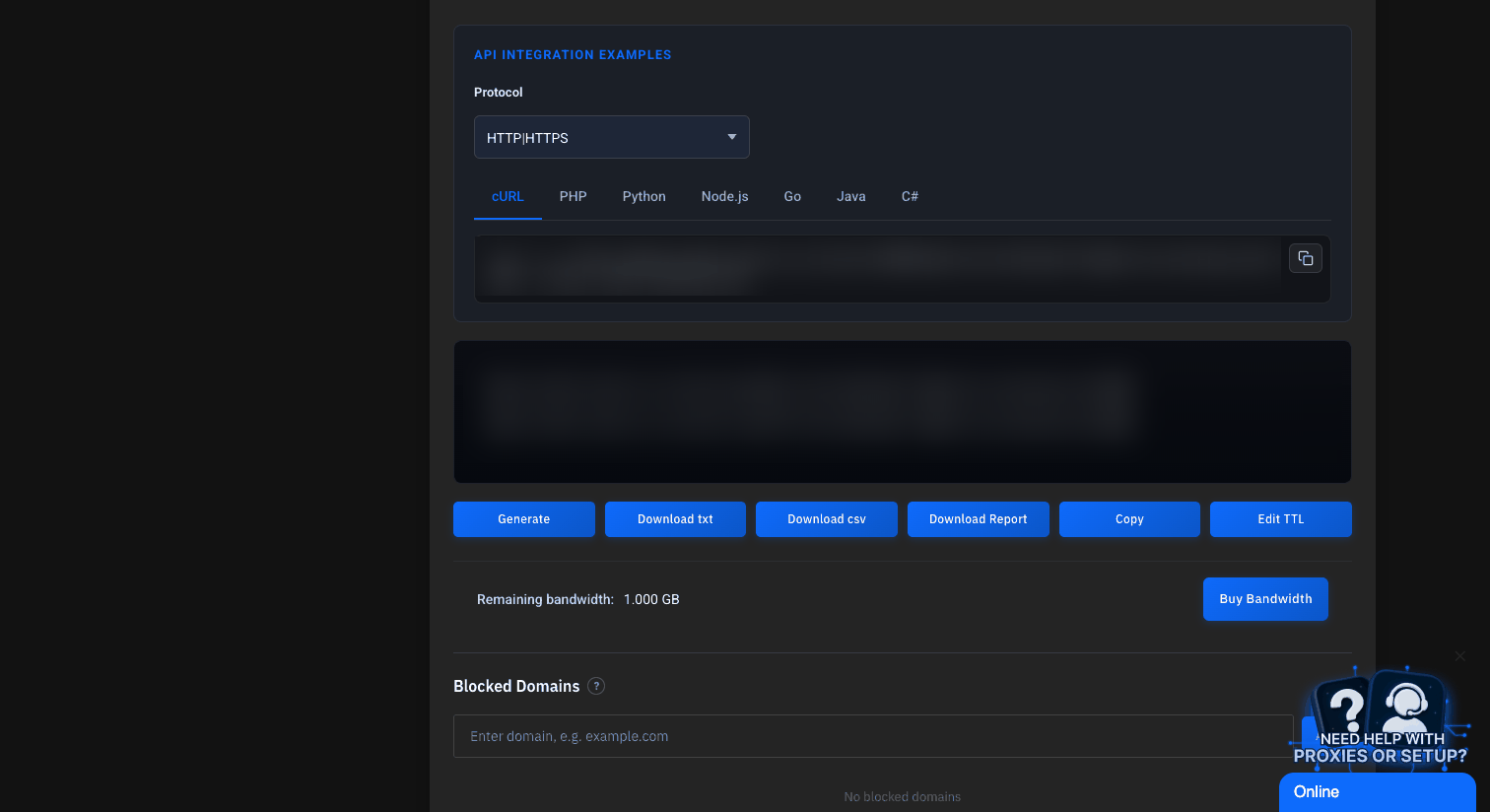
  1. Generate proxies in ProxyWing. In the ProxyWing dashboard, open your plan (Services → Manage). Pick a Country (and a city if you need one), set Session to Static IP so each profile keeps its IP, choose HTTP or SOCKS5, and set the credential format to username:password@domain:port. Click Generate and copy the list.
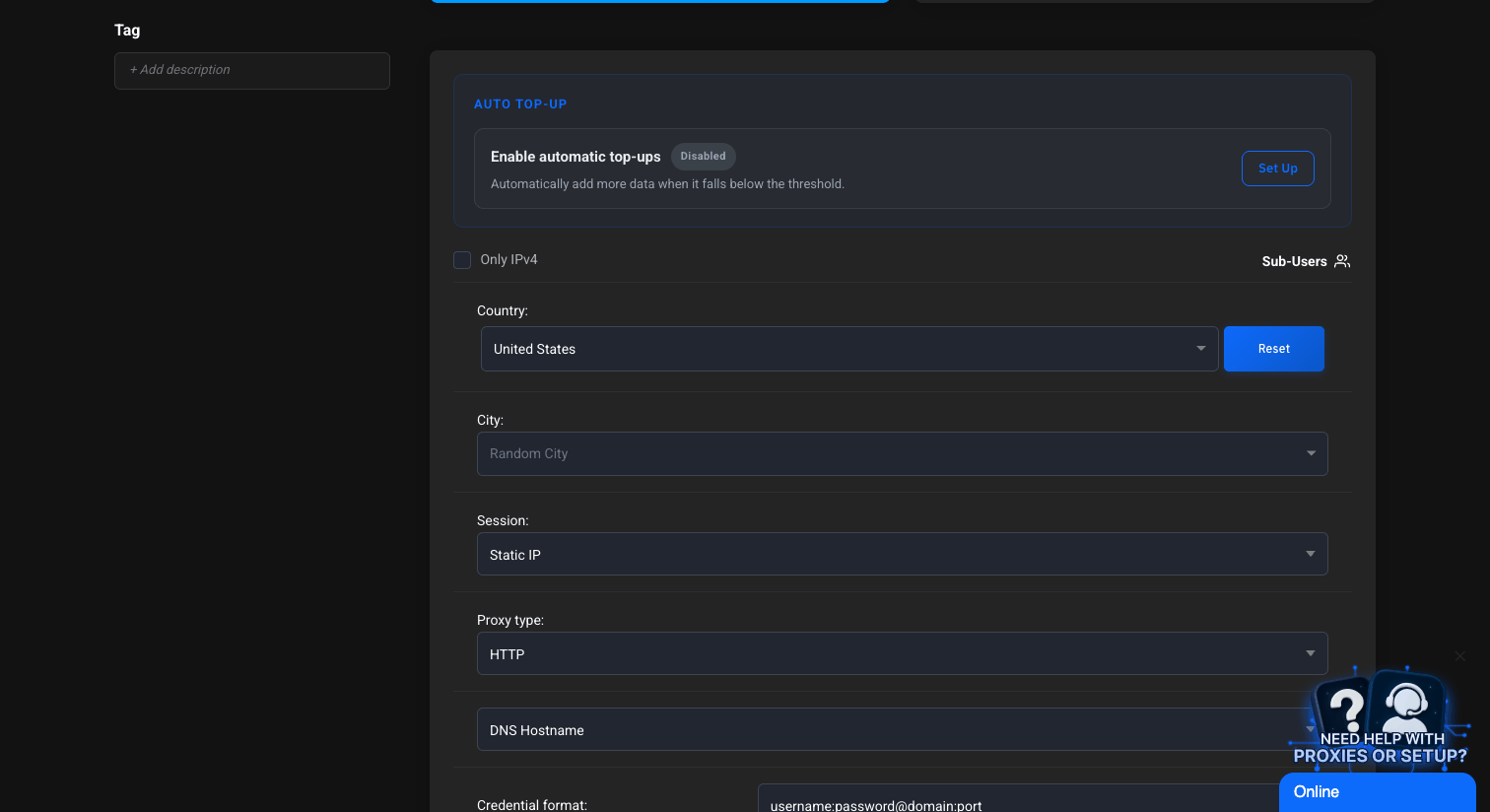
    ProxyWing dashboard proxy generator: Country United States, Session Static IP, Proxy type HTTP, credential format username:password@domain:port
    ProxyWing dashboard after clicking Generate, with the generated proxy list blurred and the Generate, Copy and Edit TTL buttons below

    Tip: for accounts you stay logged into, use Edit TTL to keep each static session for as long as you need.

  2. Add them to the proxy pool. In Nullprint, open Proxy pool, paste the list and click Check. Nullprint accepts six common paste formats, including the one above, and shows each proxy's exit IP and latency.
    Nullprint Proxy pool after pasting a ProxyWing proxy and clicking Check: status Working with exit IP and 1320 ms latency; exit IP and username masked
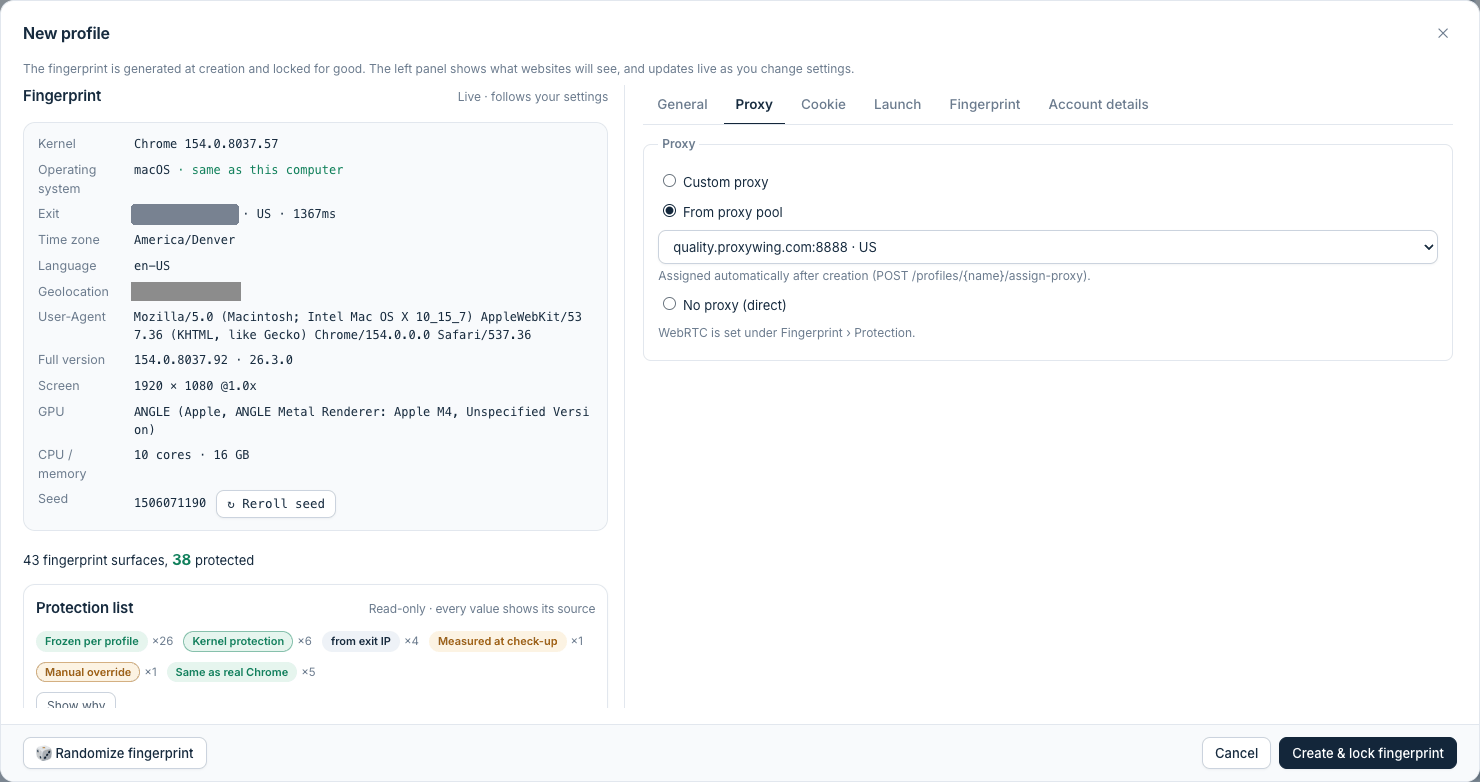
  3. Create a profile with the proxy. Create a new profile and pick one of the ProxyWing proxies. Nullprint detects the exit IP and sets the profile's time zone, language and geolocation to match; you can see them in the new-profile window. Use one proxy per profile.
    Nullprint New profile window with a ProxyWing proxy picked from the proxy pool: the fingerprint panel shows the detected US exit, time zone America/Denver, language en-US and geolocation; exit IP masked
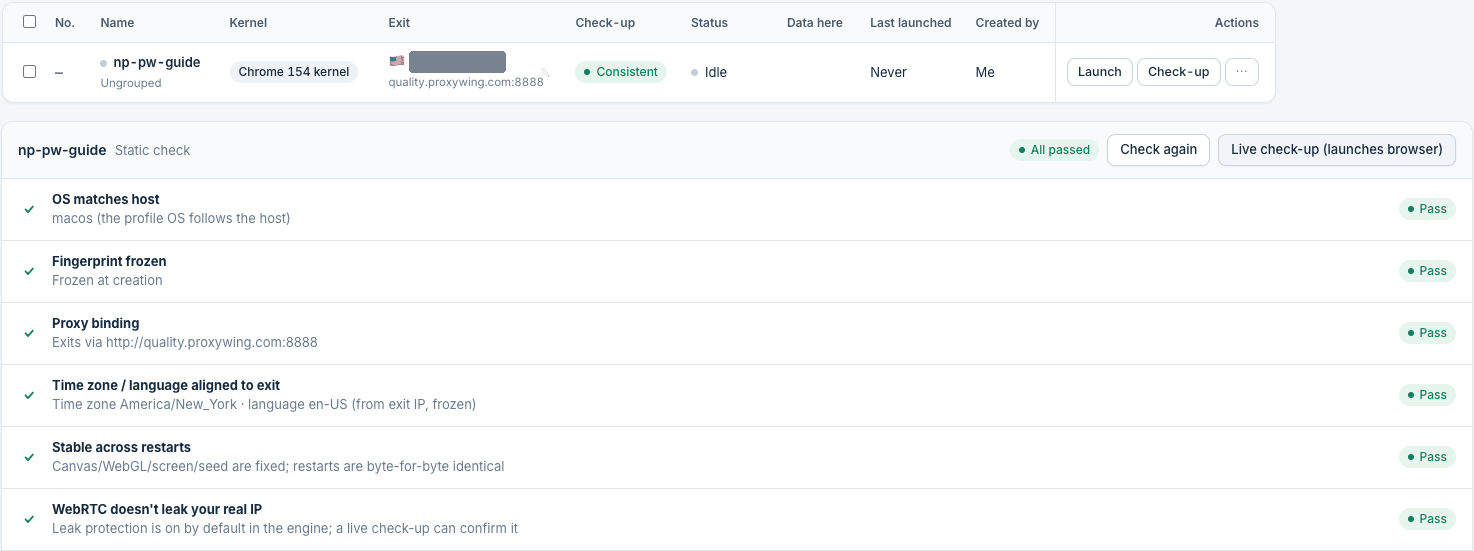
  4. Run the check-up. Click Check-up before you launch. It compares exit IP, time zone, language and fingerprint and should say Consistent.
    Nullprint check-up for the ProxyWing profile: Check-up column says Consistent; the static check report shows All passed for OS, frozen fingerprint, proxy binding, time zone and language aligned to the exit, and WebRTC; exit IP masked
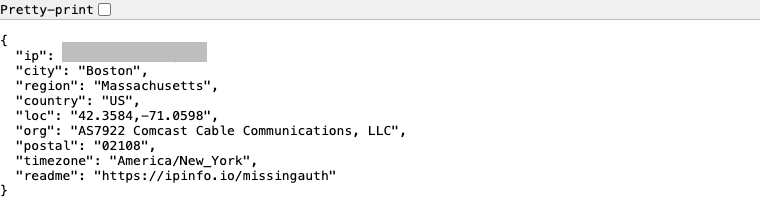
  5. Launch and confirm. Start the profile and open a page such as ipinfo.io. The exit IP should be the ProxyWing residential IP you picked.
    ipinfo.io opened inside a Nullprint profile: a US residential exit IP in Boston on Comcast, time zone America/New_York

Why they work well together

FAQ

Which ProxyWing format should I paste?

username:password@domain:port works. Nullprint also accepts the other common formats ProxyWing offers.

Rotating or static IP?

For logged-in accounts, use Static IP and give each profile its own proxy. Rotating sessions suit one-off browsing or data collection.

HTTP or SOCKS5?

Either. Nullprint supports both, with username and password.

What if the exit IP changes?

Nullprint recalculates time zone, language and geolocation for the new exit. Run the check-up again before you log in.

Does Nullprint sell proxies?

No. Nullprint works with any HTTP or SOCKS5 provider; ProxyWing is one we have tested.

Offer for Nullprint users

Use code NULLPRINT10 for 10% off all ProxyWing products.

Visit ProxyWing ↗Try Nullprint free for 7 days

Also works with