 Nullprint

ProxyWing
Residential, ISP, datacenter and mobile proxies in 200+ countries. Each profile's time zone and language follow the exit IP.

Static ISP, rotating residential and datacenter proxies from Proxy302; add them to Nullprint's proxy pool and each profile's time zone and language follow the proxy's location.
Proxy302 is a proxy provider offering static ISP IPs, rotating residential traffic billed per GB, and datacenter proxies. Its console lists the IPs you own under My assets and shows the connection details for each one.
Nullprint gives every store and account its own browser profile, and the proxy decides the IP address and location that websites see. You need Nullprint installed (Windows or macOS) and a Proxy302 account with a static ISP IP or rotating residential traffic. Setup takes about two minutes per profile.
socks5://user:pass@host:port. For rotating residential, generate the connection details on the Rotating residential page and copy them the same way.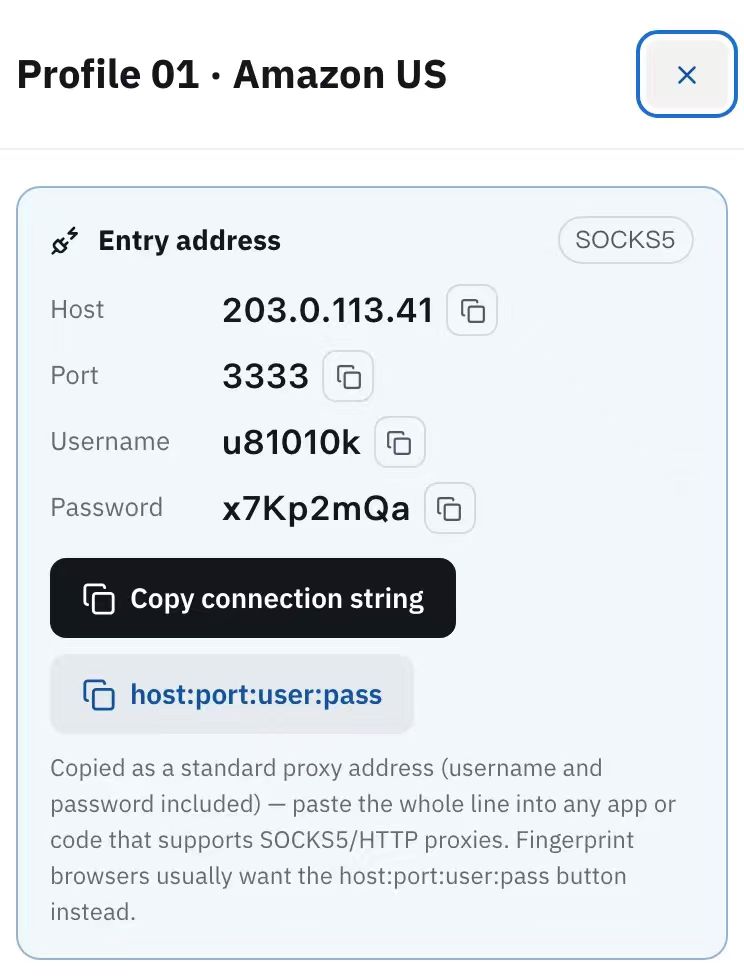
Use one proxy per profile. Nullprint flags a proxy that is shared by several profiles.
Yes. Paste the full address with its protocol, for example socks5://user:pass@host:port, and the Proxy type field in the paste window switches to SOCKS5. An address without a protocol is added as HTTP unless you change Proxy type yourself.
Yes, Nullprint reads that format too. It carries no protocol, so set Proxy type in the paste window to the protocol shown on the Proxy302 card (HTTP or SOCKS5) before you click Add.
Copy the address again and check for spaces at the start or end. Make sure the protocol at the start of the address matches the one on the Proxy302 card.
Rotating residential stops when the traffic runs out, so check your balance in the Proxy302 console.
No. Nullprint works with any HTTP or SOCKS5 proxy. For questions about your Proxy302 account, contact Proxy302 support on Telegram: @Proxy302_Support.
Proxy302 gives new accounts that sign up through the link below 20% extra on the first top-up, up to US$50. The offer is provided by Proxy302; this is a referral link.
Residential, ISP, datacenter and mobile proxies in 200+ countries. Each profile's time zone and language follow the exit IP.
Residential, mobile and datacenter proxies in 200+ countries, with country targeting and long sticky rotation for logged-in accounts.
Residential, ISP and datacenter proxies in 150+ countries, with sticky sessions for logged-in accounts.